Today, I wanted to dive into specific applications, but more importantly, not video games. I won’t be talking about failures as much because while a lot of work has gone into making video games working on Linux, not much has been/or can be done about non-gaming applications in Wine. Everything from Microsoft’s ClickToRun installers to applications opening to black screens is just an indicator there isn’t much Wine can do except grovel for support.
It’s not a total loss, because some of the right applications can work with the correct tweaks. Today, I’m going to be using the program Bottles to run Windows applications and highlighting what it takes to get KakaoTalk working in Bottles
Installing KakaoTalk
For those who haven’t heard of KakaoTalk, KakaoTalk is a instant messenging platform and it’s incredibly popular in Korea. Now, don’t go using expecting any kind of privacy, it’s not private by any means, but in many ways, it’s the WeChat of Korea.

The reason I’m starting with KakaoTalk is installing KakaoTalk in Bottles is pretty easy, but it does have some quirks to it. So how do we get it to work in Bottles?
Installing KakaoTalk in Bottles
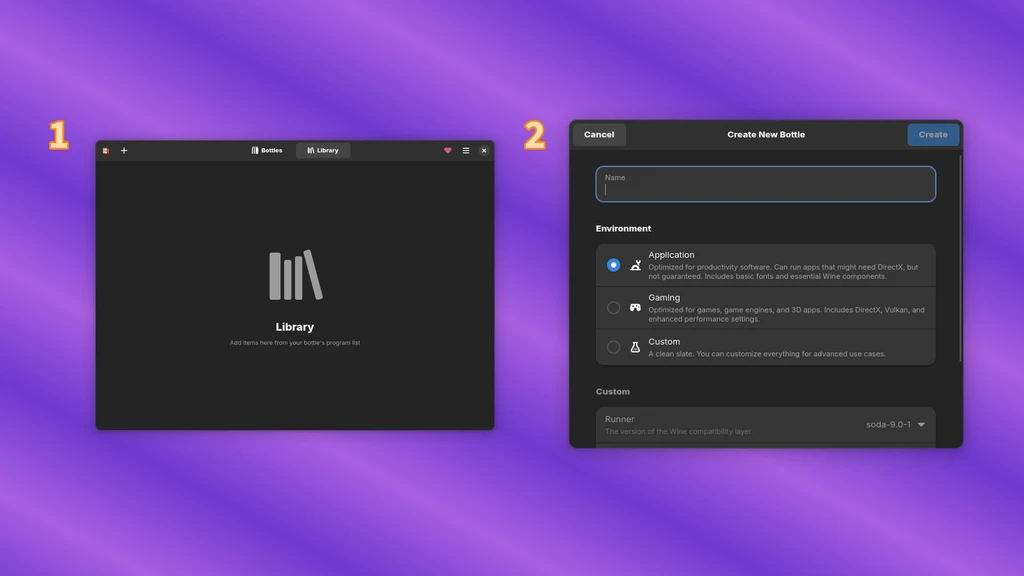
First, download the Windows installer from the KakaoTalk website. Then in Bottles, create a new Bottle and select “Application.” Mono will need to installed when prompted.
With the ellipsis (the 3 dots), click “Browse Files,” and this will open
a virtual Windows C:\ drive. Copy/paste the KakaoTalk installer into
this folder.
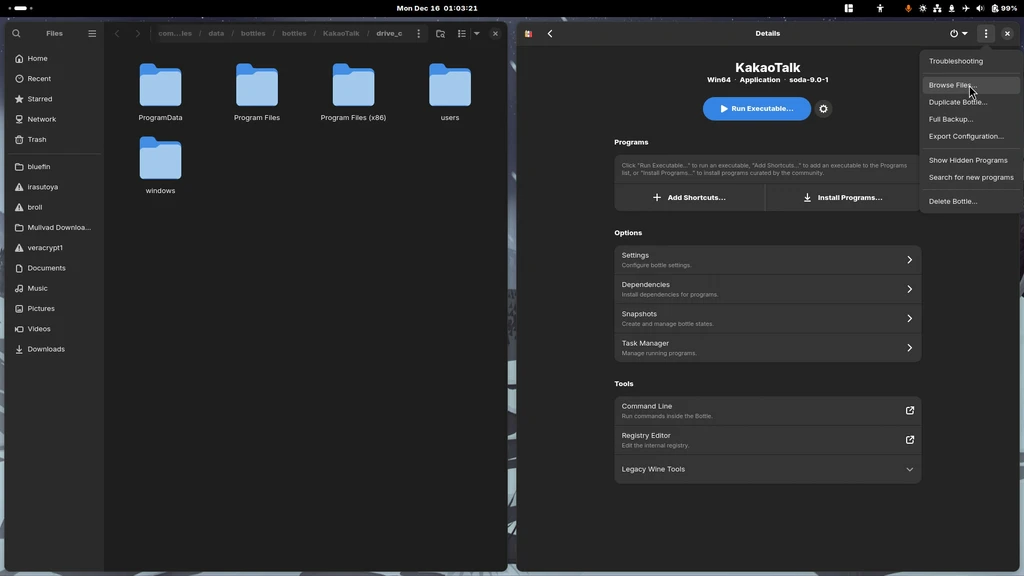
Copy the path to the folder. This is a location we will need to use to install things and create shortcuts.
- Click “Add Shortcut” and paste the path you copied into your file manager’s search bar. Select the KakaoTalk installer, then click the play button in the new shortcut.
- Proceed through the KakaoTalk installer as you would on Windows.
- A new shortcut will need to be made for KakaoTalk, linking to
C:\Program Files (x86)\)\Kakao\KakaoTalk\KakaoTalk.exe. From here, you can make this a desktop icon or add it to your Bottles library.
Font Oddities

Since KakaoTalk is a Korean application, it’s imperative to have fonts
with support for Korean Hangul. In order for a font to support this, it
needs to be a CJK font–a font that supports Chinese, Japanese, and
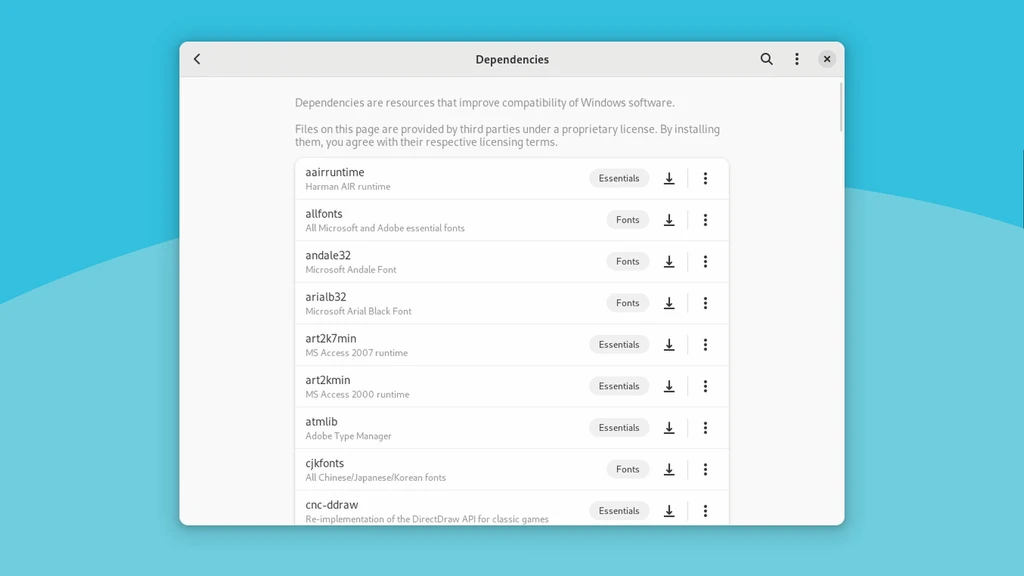
Korean. Bottles has an extra package to install some pre-baked CJK fonts
aptly named cjkfonts.

Afterwards, to make this change, you go into the settings of the KakaoTalk app in the top-right corner, then change the font in the menu…, then restarting KakaoTalk when prompted.
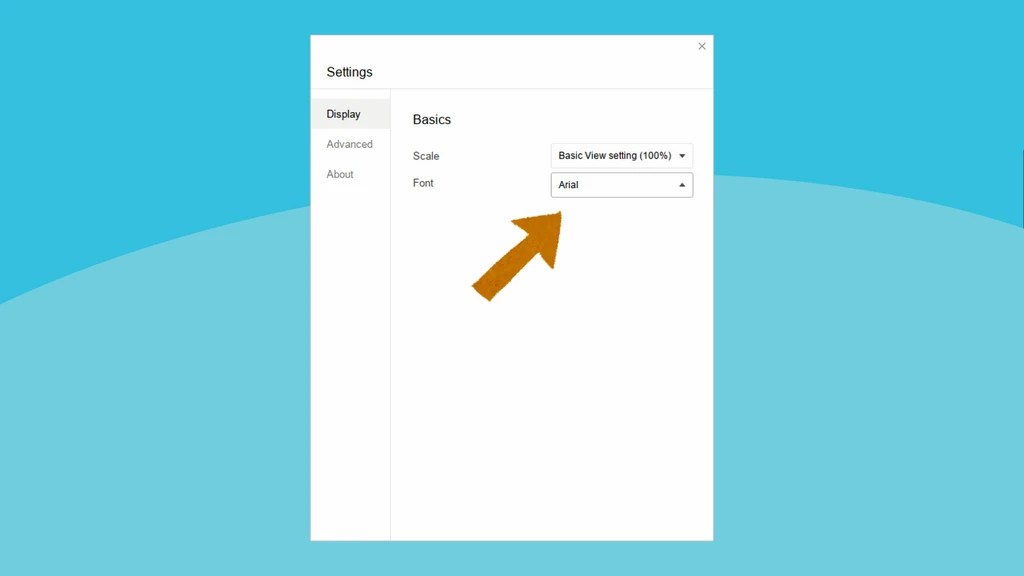
There’s also a weird instance where Bottles pulls from your system
fonts. As a content creator, I have a lot of fonts that I’ve used for
one reason or another. Unfortunately, all of them get jammed into the
poor little KakaoTalk menu and I can’t figure out which of them are the
preinstalled cjkfonts or not. I’m pretty sure it’s Source Sans Han.
The Bottles Installer’s Double Standard
Now all of this is pretty easy to execute, but it’s not so easy to implement in an installer. While Bottles allows you to build custom installers, in my testing anyway, there’s a bit of double standard of backups of programs you import versus running as an installer. In the past, I’ve written installers for Lutris and Bottles follows a similar format, but how do you write a Bottles installer?
First, let’s dig into the Bottles documentation. Installers in Bottles
are designed to bypass all of the steps we just did to install
KakaoTalk. The other reason I picked KakaoTalk is installing and using
it requires little interaction from users and largely works in Wine, so
it’s a prime example for a good installer. The only dependency it
requires is cjkfonts and some minor tweaks to an .ini file.
Check out the installers writing guide from the Bottles documentation.
You could do this of course, but what’s actually going on underneath the hood? KakaoTalk stores all of its settings in a *.ini file. Let’s say I were to make a KakaoTalk installer, all I need to do is install KakaoTalk using the link from their website, then create a minimal .ini file that can be populated using the KakaoTalk installer.
The installer needs to be written as a YAML file and it’s the same format of the other files that the other built-in installers and backup files use.
- Metadata for the installer: name, description, Wine rating, and Windows architecture. I copied my information from the KakaoTalk Wine AppDB listing.
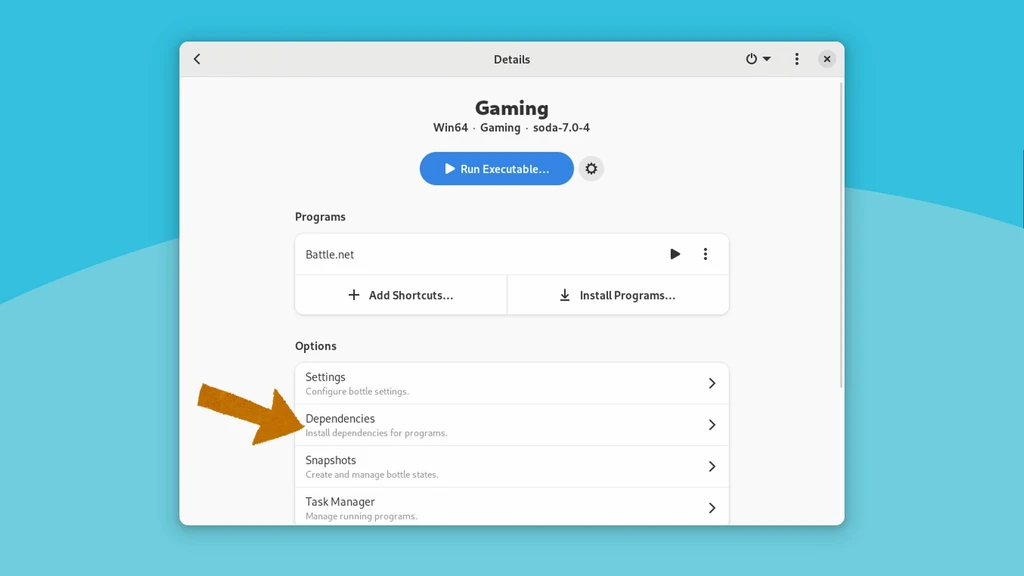
- Dependencies: These are built-in requirements in Windows to run KakaoTalk. Internally, this list can be viewed in Bottles → Your Bottle → Dependencies with brief descriptions about each package. It does require a basic understanding of how Windows app development works.
- Info about the Windows binary: This includes the name, a user-specified icon for Bottles, the name of the executable, and the destination of the executable prior to running the installer.
- The Steps: A series of scripting actions to run the installer or do
specific things to complete the installation. In my KakaoTalk
installer, I pulled KakaoTalk’s installer from their website, then
created a
prefs.ini, which KakaoTalk uses to configure fonts so Hangul support works without user interaction.
Writing the installer isn’t horribly difficult once you’ve figured out what the steps are. What’s more difficult is running the installer itself and this is likely why you don’t see many configurations for Bottles out there.
In Bottles, loading a configuration you have previously exported has a different standard than what is in the actual installer repo. This is on purpose to an extent because installers are vetted through the GitHub under the organization’s “programs” repo. To be fair to the developers, when you ship something in the default build of the program, it should be held to a higher standard than what people hack together themselves.
Background video: There’s more flavor with Vanilla OS - with Mirko Brombin and Luca Di Maio (C’è più gusto, con Vanilla OS - con Mirko Brombin e Luca Di Maio)
Improvements Are Coming Soon
As an overall installer improvement, my proposition is the backup should be able to pull Windows installers from the internet, just like what the built-in Bottles installers can. It would be a big improvement to the developer experience and it wouldn’t require forking the repo to test the installer if there was a framework that allowed users to run installers that could download installers from the internet.
As a project, Bottles’ development has slowed down a lot, but their developers been gearing up some major changes with Bottles Next, a rewrite of the Bottles user interface and backend logic to better serve its developers. I won’t get into the specifics, but since Bottles has gotten some pretty significant sponsorships, this is now their top priority and essential to the wellbeing/future of the project.
It’s clear that Bottles believes they can take development to the next level. Right now, it’s a matter of navigating the installation process and taking it slow. With the right application or game you want to play, you can probably accomplish it. The experience leaves a bit to be desired, but that’s why they’re rewriting it and can’t wait until that day comes.
GitHub
I submitted a pull request to Bottles recently.
Track Listing
- Sarah Kang ft. Won Jang - Summer Cold
- J. Louis - Can’t You See
- Private Press - DEEEEEEP from Cyberpunk 2077
- gooset - Shizuku (雫)
- Outro: Khaim - Neon Lamp